
See exactly what happens when someone opens your document.
Per-page time tracking, click tracking, and bot-filtered metrics — so every view in your dashboard represents a real person who actually read your content.
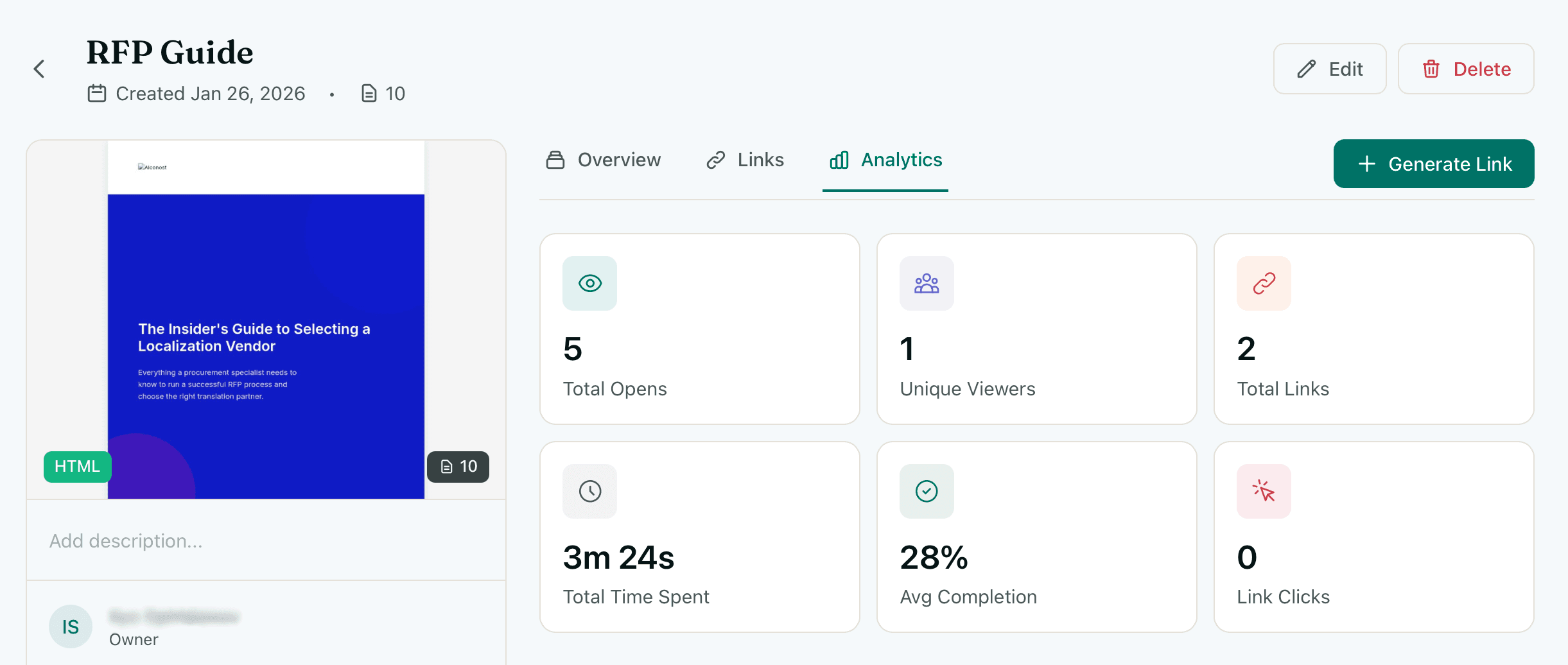
You're tracking the wrong thing
Email attachment
Nothing — the file leaves your control the moment you hit send
Google Drive link
A view count, if they're logged in. No pages, no time, no depth
Email pixel tracking
Whether the email was opened (unreliable). Not what happened to the document
Basic link tracker
A click count. Not what they read, how long, or who they shared it with
HummingDeck tracks what happens inside the document — not just whether the link was clicked.
What you can see
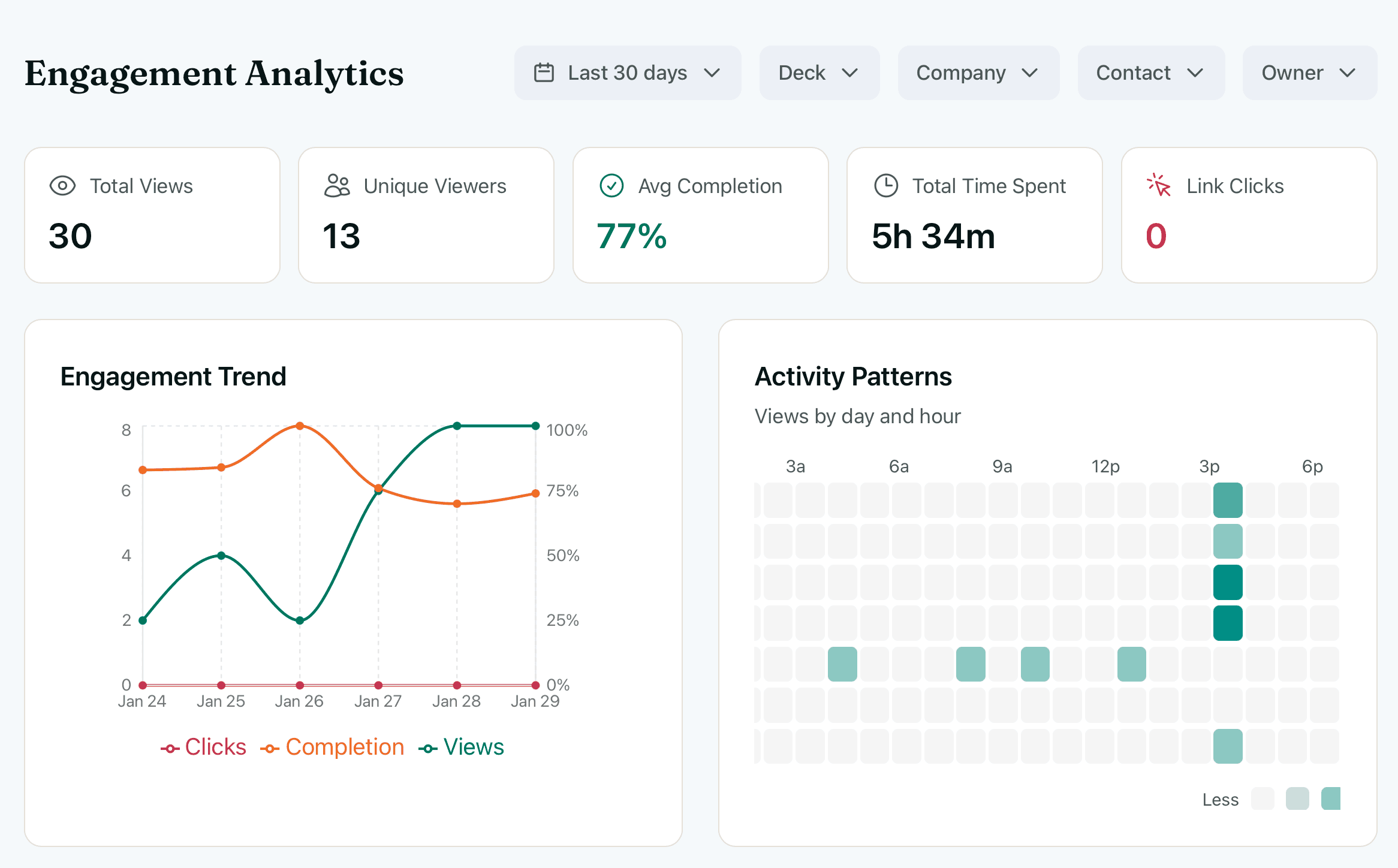
Understand engagement at a glance.
Track views, unique viewers, completion rates, and time spent across all your shared content. Spot which documents are getting traction and which ones aren't landing.
- Total views and unique viewers
- Average completion rate
- Time spent per document
- Trend charts over any period
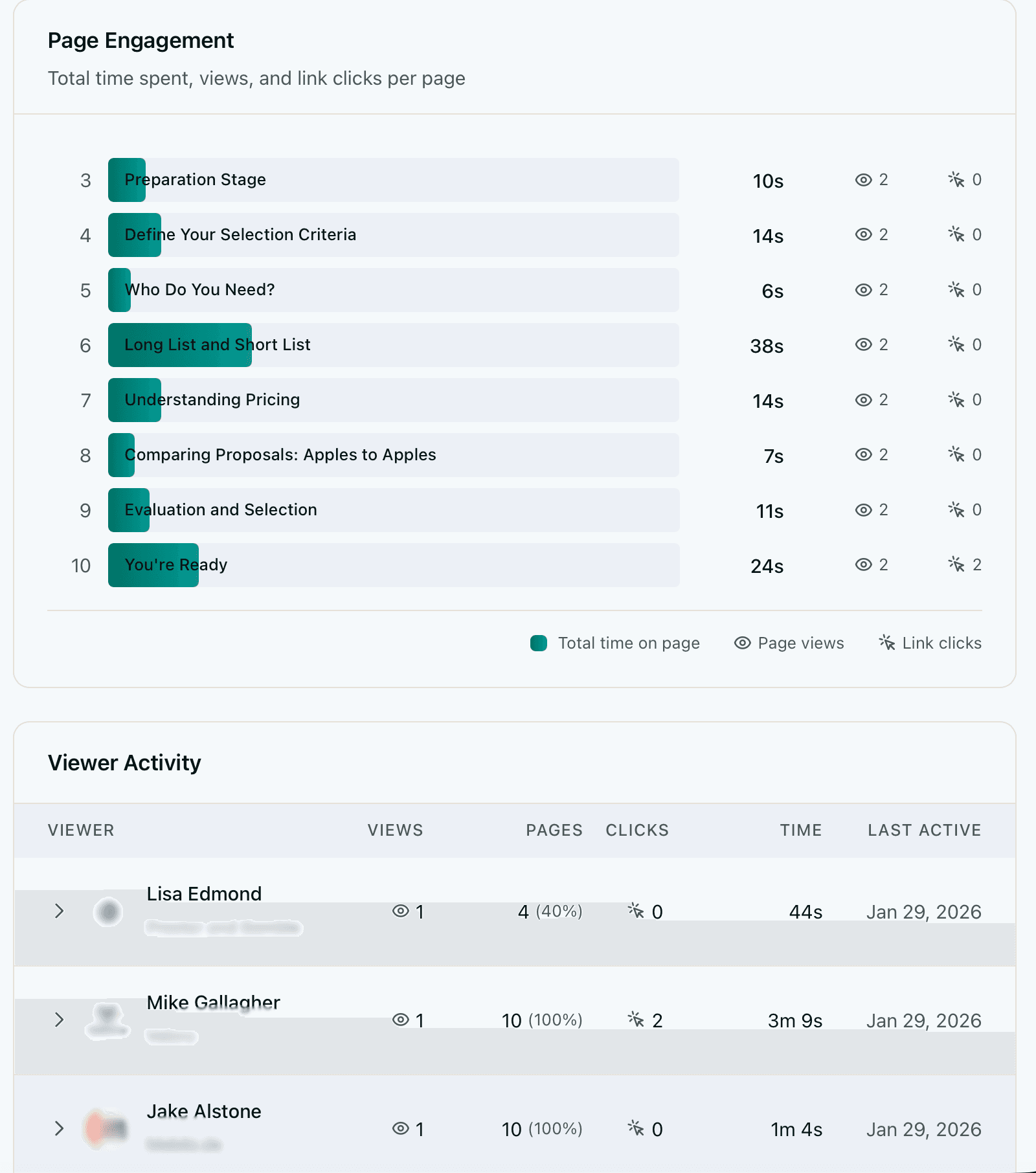
See which pages capture attention.
Know exactly how long recipients spend on each page. See which sections generated the most engagement — these are your buyer's real decision criteria, not what they told you on the call. Per-page data turns a guess into a strategy.
- Time spent on every page
- Heatmap-style engagement bars
- Re-read detection across sessions
- Compare engagement across viewers
Track what they click inside your document.
See which links and elements recipients click inside your document. Know if they opened your pricing calculator, clicked through to a case study, or followed a link to your booking page. Click tracking works on both PDFs and HTML documents.
- External link clicks tracked
- Internal navigation clicks
- Click count per page
- Identify highest-interest CTAs
Link Clicks Inside Document
Last 30 days| Element | Type | Clicks |
|---|---|---|
Schedule a demo | External | 12 |
ROI Calculator | External | 9 |
Case Study: Acme Corp | External | 7 |
View pricing details | Internal | 6 |
Jump to methodology | Internal | 3 |
“Schedule a demo” on page 7 is your highest-converting CTA.
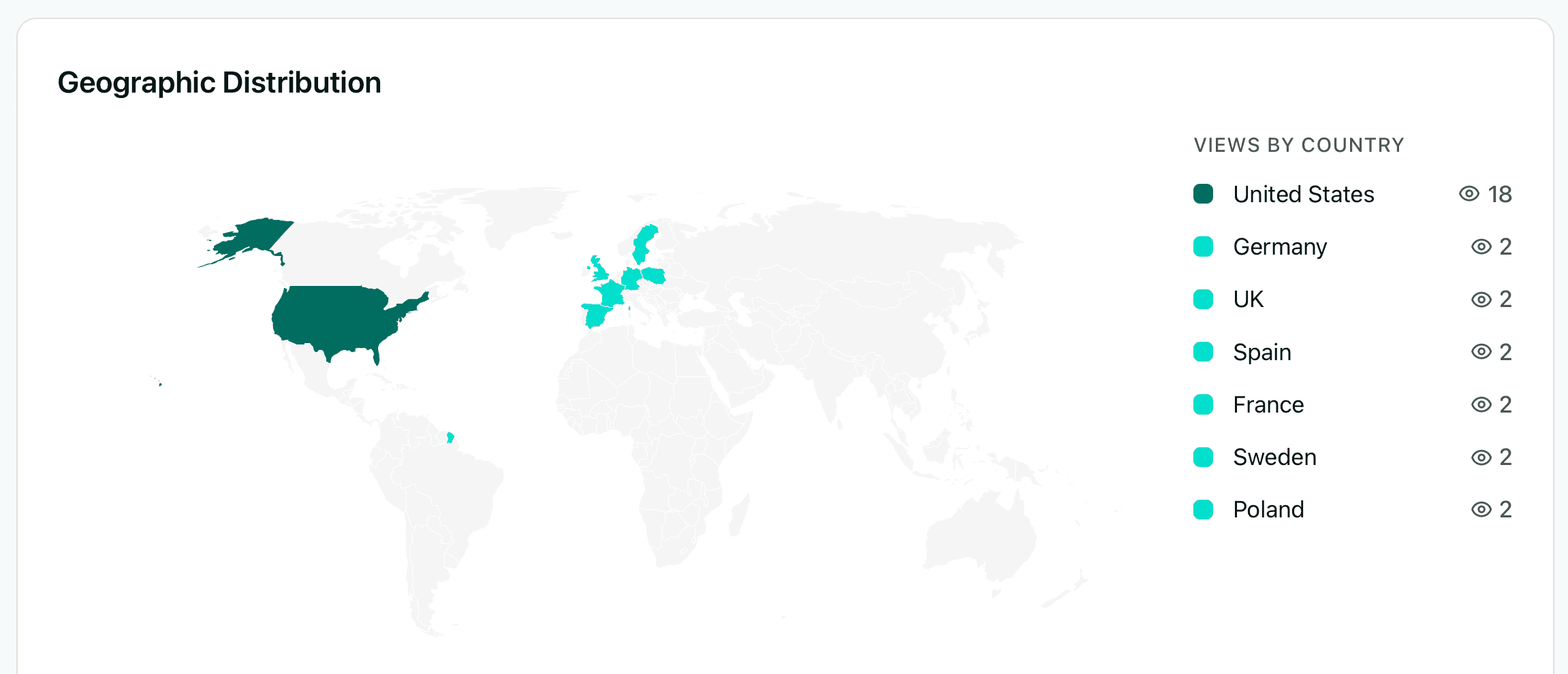
Know where your viewers are.
See the geographic distribution of your audience. When your content gets forwarded internally, that's a buying signal — someone is building the case for your solution. When your prospect in New York forwards the deck to their London office, you'll know — even if nobody tells you.
- Interactive world map
- Views by country breakdown
- Spot unexpected markets
- Detect international forwarding
Know the moment they engage.
Get notified instantly when someone opens your document. A return visit days or weeks later is the strongest buyer intent signal in long sales cycles — something changed internally, and now they're re-evaluating. Follow up while the deal is warm, not three days later.
- Instant email notifications
- Slack alerts with engagement data
- View duration and page count
- New viewer detection for forwarded links
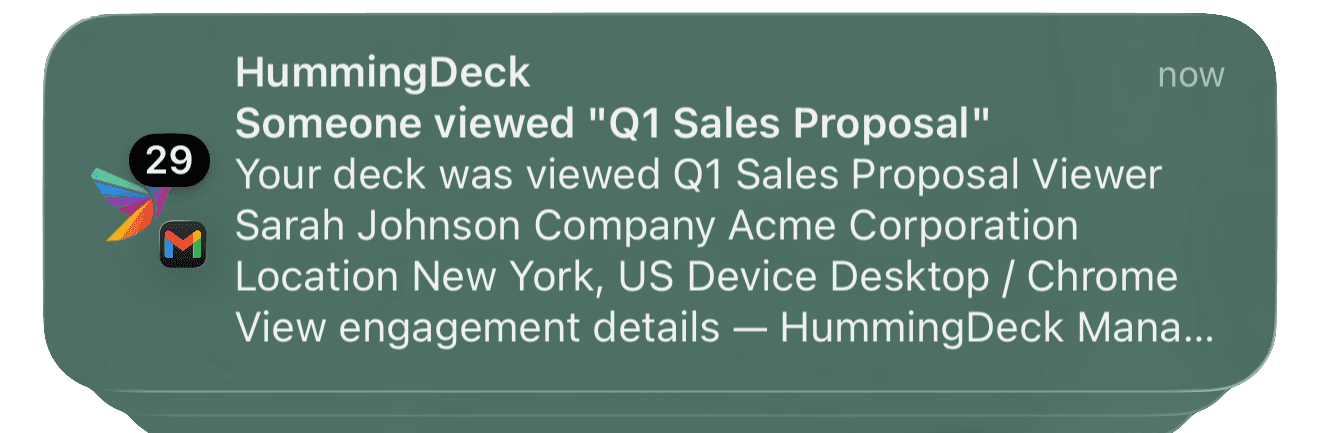
See HummingDeck in action
Only count real humans.
Email security scanners — Microsoft SafeLinks, Proofpoint, Mimecast, Google Safe Browsing — open your links before recipients do. They spoof real browser signatures, navigate through pages, and fire synthetic DOM events. In enterprise sales teams, 15–40% of apparent document views are bot sessions.
How our three-layer detection works
User-agent matching
Checks against 60+ known bot patterns — crawlers, headless browsers, link preview bots. Catches roughly 40% of bot traffic on the first pass.
Datacenter IP detection
Identifies traffic from Azure, AWS, and other hosting providers where SafeLinks and Proofpoint scanners run. Flags the session but preserves the record so you can audit false positives.
Gesture-based human confirmation
Monitors mouse movement, touch events, keyboard input, and scroll behavior. Ignores the first 3 seconds after page load — bots fire synthetic events within 500ms, humans take longer to orient. Only promotes a session to a real view when genuine human interaction is detected.
- Detects SafeLinks, Proofpoint, Mimecast, and Google Safe Browsing
- Gesture-based verification — no CAPTCHAs, no friction for viewers
- Handles race conditions when bot and human sessions overlap
- Inspect filtered bot sessions anytime — full audit trail
Real viewers
Bots filtered
Accuracy
Recent Sessions
| Viewer | Status |
|---|---|
Sarah Chen | Human |
Microsoft SafeLinks | Bot |
David Park | Human |
Proofpoint Scanner | Bot |
Mimecast Gateway | Bot |
Emily Torres | Human |
First-party intent data from your own content
Third-party intent data tells you which accounts are researching your category. First-party intent data from shared content tells you which specific people are actively evaluating your solution, which parts interest them most, and whether the deal is moving through their organization. This is buyer intent data you already create every time you share a tracked link — no $50K platform required.
How HummingDeck compares
Most tools track the link click. HummingDeck tracks what happens inside the document.
| Feature | HummingDeck | DocSend |
|---|---|---|
| Per-page time tracking | ||
| Click tracking in docs | partial | |
| Bot detection | 3-layer | basic |
| Real-time alerts | ||
| Deal rooms | ||
| Free plan | ||
| Starting price | $10/mo | $10/mo* |
* DocSend tracks external URL clicks but not in-document navigation links.
* DocSend flags 'Atypical Source Visits' but does not advertise multi-layer bot detection.
* DocSend's $10/mo Personal plan has a 100-visit cap per month. No visit caps on any HummingDeck plan.
Frequently asked questions
How does per-page document tracking work?
Can you track a PDF sent as an email attachment?
How does bot detection work for shared documents?
What's the difference between email open tracking and document tracking?
Does the viewer need to create an account to be tracked?
Can I see who forwarded my document to someone else?
How accurate are the analytics? Do bots inflate view counts?
Go deeper
Why Your Deck Analytics Are Wrong
How email security bots inflate your view counts — and the three-layer detection system that filters them out.
Read moreHow to Track If Someone Opened Your PDF
Six methods compared — from email read receipts to dedicated tracking tools. What each one actually shows you.
Read moreHow to See Who Viewed Your Sales Proposal
The six engagement signals that predict deal outcomes, and a follow-up timing framework based on real data.
Read moreStart tracking document engagement today.
No credit card required. Your viewers never need an account.