
Updated June 2026: rewritten after Anthropic shipped official Claude Help Center docs for in-org sharing. This guide now focuses on the external-sharing case (clients, investors, prospects) that Anthropic's native sharing doesn't cover.
Anthropic launched Claude Design in April 2026 as part of Anthropic Labs. As of June 2026, the native sharing model is organization-scoped: you can share a design privately with people in your Anthropic organization, or grant edit access to colleagues. Anthropic's Help Center has the canonical guide for this case. See Manage project visibility and sharing and the Claude Design admin guide for Team and Enterprise plans.
This post covers the other case: sharing a Claude Design with someone outside your Anthropic organization. A client. An investor. A freelance collaborator. A prospect. Anyone you can't add to your Anthropic Team, which, for most Pro and Max users, is everyone.
The short version: export the design to standalone HTML or PDF, then host the file somewhere that supports external link sharing with the controls you need (tracking, email validation, expiry, revocation). Below is what to use and how.
What Claude Design is, in one paragraph
Claude Design is Anthropic Labs' visual prototyping product, launched on April 17, 2026. It sits at claude.ai/design and pairs Claude Opus 4.7 with an HTML canvas. An admin wires your design system in once, and every new project picks it up automatically. After that anyone on the team can describe a pitch deck, mockup, or landing page in plain English and shape it through chat, inline comments, or direct edits. Output is on-brand and interactive. The target user is the founder, AE, PM, or marketer who doesn't have a designer to call. Claude Design is included with the Pro, Max, Team, and Enterprise plans (off by default on Enterprise; admin-enabled). Anthropic covers the launch in Introducing Claude Design and the workflow in Get started with Claude Design.
Anthropic's native sharing: what it covers and what it doesn't
Anthropic's project visibility and sharing model is built for in-team collaboration. Within your Anthropic organization, you can mark a project Public (everyone in the org can view and use), keep it Private (only invited members can view), and grant per-member "Can use" or "Can edit" permission. That's the in-team story, and it works well.
The external-sharing story is what's missing. Here's what each side covers:
| Capability | Anthropic Claude Design (native) | External (HummingDeck) |
|---|---|---|
| Keep a design private to me | ✓ | n/a |
| Share within my Anthropic organization, view-only | ✓ | n/a |
| Grant edit access to a teammate | ✓ | n/a |
| Share with someone outside my organization | ✗ (export required) | ✓ |
| Restrict access to specific recipients via email validation | ✗ | ✓ |
| See who specifically viewed the design | ✗ | ✓ |
| See which sections each viewer engaged with | ✗ | ✓ |
| Detect when the link is forwarded | ✗ | ✓ |
| Set an expiration date on the link | ✗ | ✓ |
| Revoke access per-viewer | ✗ | ✓ |
| Export to standalone HTML / PDF / PPTX / Canva | ✓ | n/a |
Anthropic's sharing is organization-scoped by design. That's the right architecture for in-team collaboration. This guide is for when you need to go outside the org.
If you're on Pro or Max (the solo Claude Design tiers)
Pro ($20/mo) and Max ($100 or $200/mo) include Claude Design but don't include a team workspace. You can build the design, you can iterate on it, you can export it. What you can't do is add an external recipient to your Anthropic organization, because for Pro and Max users that organization is just you.
The native sharing model assumes a Team or Enterprise plan with org members to share to. If you're solo on Pro or Max and you need to send a Claude Design to a client, investor, or freelance collaborator, the practical workflow is the same one Team users use when sharing externally:
- Export the Claude Design (Export → Export as standalone HTML).
- Upload the HTML file to a hosting layer that supports external sharing (HummingDeck, tiiny.host, etc.).
- Configure access (email validation, expiry, password where supported).
- Send the share link to the external recipient.
The four sections below walk through this with HummingDeck. If you want a broader comparison of the hosting options before picking one, see Host a Single HTML File: 8 Tools Compared.
Step 1: Export from Claude Design as standalone HTML
Open the design in Claude Design and click Export in the upper right of the canvas. The menu lists six options: Download as .zip, Export as PDF, Export as PPTX, Send to Canva, Export as standalone HTML, and Handoff to Claude Code. Pick Export as standalone HTML.
You get a single .html file with everything inlined: fonts, images, brand assets. This is the design in its shareable form, a complete HTML deck with no external dependencies.
Save the file somewhere you'll find it.
A quick word on the other exports. PPTX is fine for handing the deck to a colleague who'll keep editing in PowerPoint, but the HTML-to-PPTX conversion is lossy: brand kit drifts, layouts shift, animations get stripped. PDF preserves the look but loses everything interactive. The .zip is a multi-file bundle, mostly paired with the Claude Code handoff. For an external send where you also want to see what the recipient does, standalone HTML is what you want.
Step 2: Upload to HummingDeck
Drag the Claude Design HTML file into your HummingDeck deck library. There's no API call to Anthropic, no OAuth, no "connect your Claude account" step. You export the file, you upload it. That's the whole integration.
HummingDeck unwraps the bundler payload on upload, so the slide structure comes through correctly. The deck lands in your library with the right section count.
It's served from a sandboxed viewer, so the HTML, CSS, and JavaScript inside the export run in isolation. The recipient still gets the full interactivity. Your account stays protected.
Step 3: Configure the share link
The standard share-link controls apply:
- Email validation so only specific recipients can view (each viewer enters their email and receives a one-time code before access).
- Link expiration so the deck stops working after a date.
- Revoke access at any time, even after the recipient has the URL, per recipient.
- Custom domain so the share URL sits on your brand (Business tier).
- Viewer notifications so you get pinged the moment someone opens it.
Tune them to the use case. Investors: email validation, expiry at the close of the round, custom domain. Sales prospects: email validation, longer expiry, notifications on every view. Internal stakeholders outside your Anthropic org: lighter validation, short expiry, notifications off.
Generate the link. Done.
Step 4: Send the link, watch what happens
Email the link. The recipient clicks it, validates their email, lands on the HummingDeck viewer, and reads (or doesn't read) the slides.
Tracking runs inside the viewer and watches what they actually do: which slide they're on, how long they spend there, how far through the deck they get, and which links and buttons they click. It's tuned for the shape of Claude Design output, so the per-slide breakdown is accurate.
In your dashboard:
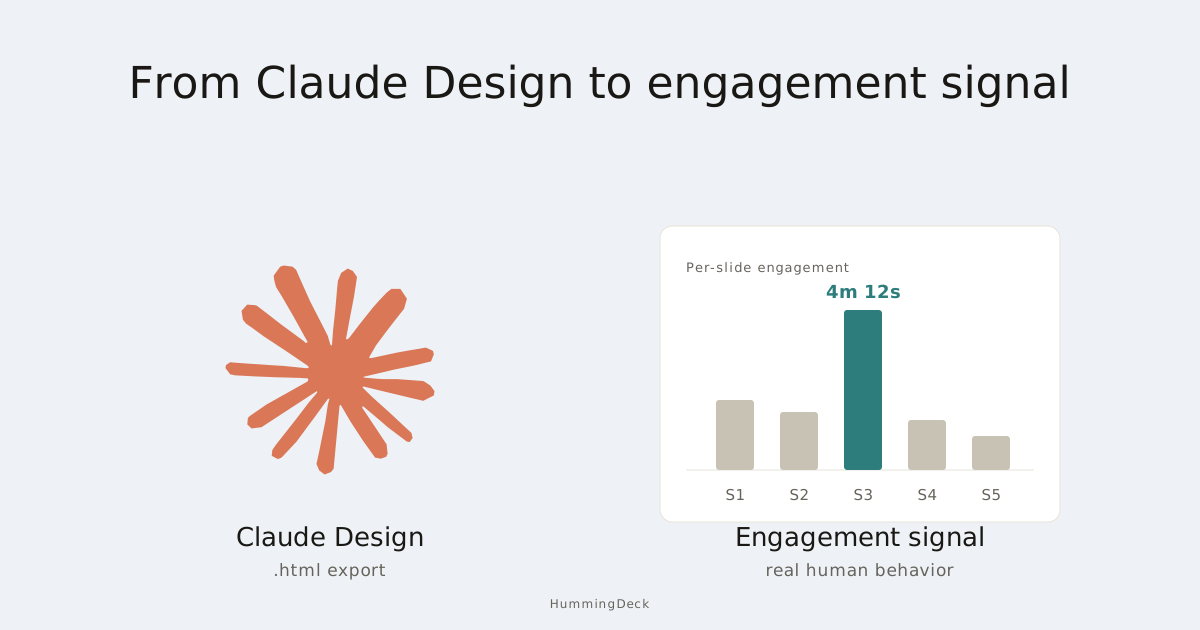
- Per-slide time-on-page. Which slides they spent four minutes on, which ones they skimmed in fifteen seconds.
- Completion percentage. Did they reach the ask slide, or bail at the problem slide?
- Clicks. Every link or button inside the deck, including any interactive prototype Claude Design embedded.
- Forwarding inference. When a second viewer fingerprint opens the deck and the network or geography don't match the first viewer, HummingDeck flags it as likely forwarded. A champion is selling for you internally.
- Return visits. When someone comes back weeks later, you get notified. Usually it's a budget cycle, board prep, or a stalled deal moving again.
In a sales motion, those five signals decide your next move. A prospect who lingers on the pricing slide for two minutes gets a different follow-up than one who bounces on slide two. A prospect who forwards the deck to three colleagues gets a different follow-up than one who opens it alone at 11pm.
When external hosting isn't HummingDeck
A short honest map. The right tool depends on what you're optimizing for.
For one-off public sharing without tracking, Netlify Drop and tiiny.host let you drag the exported HTML in and get a URL in seconds. Both have free tiers. You won't know who opened it, but if the share is public anyway (a public portfolio piece, a community demo), that's the right tradeoff.
For developer-driven hosting with a custom domain and full CDN control, Cloudflare Pages and Vercel are the canonical answers. You'll do some configuration. You won't get per-viewer tracking. Worth it if the design will be a permanent public asset.
For tracked external sharing with email validation and forwarding detection, HummingDeck is what we built. The four-step workflow above is the path. The full landscape comparison is in Host a Single HTML File: 8 Tools Compared.
Why this signal is more honest than open rates
Cold email open rates barely measure anything in 2026. Apple Mail Privacy Protection, corporate security scanners, and AI inbox agents pre-load every tracking pixel before a human sees the message. Plenty of SDR teams see open rates in the high 40s on campaigns where real human readership is in the single digits. We covered the full mechanics in Cold Email Open Rates Are Dead.
Engagement on a deck you shared is a different category. Bots don't read for four minutes. Scanners don't come back to the pricing slide three weeks later. AI inbox agents don't forward the deck to a CFO. When you see those signals on a Claude Design behind a tracked link, you're seeing real human behavior. That's the kind of signal you can actually forecast on. The same thesis applies to deck and document tracking generally; see Why Your Deck Analytics Are Wrong for the bot-filtering side.
The shift is structural. Claude Design lets you ship a deck in minutes. The number of decks in flight per rep is climbing fast. The question for revenue teams isn't "how do I make more decks" anymore. It's "how do I tell which of the decks I'm sending actually landed." Per-slide engagement, tied to a specific recipient, is the signal that survives the bot layer.
Beyond Claude Design: the same flow for other AI tools
The same upload path takes anything that exports self-contained HTML. ChatGPT canvas, v0 demos, Lovable apps, Bolt projects, Manus artifacts, Cursor previews. Same tracked link, same sandboxed viewer, same per-section engagement on every artifact. Claude Design was the forcing function because of how fast it ships polished HTML decks, but the capability covers any AI-generated artifact in the same format.
If you're running multiple AI tools and need a single distribution layer for everything they produce, that's what HummingDeck is. One library, one analytics view, one set of share controls for every deck, artifact, and prototype your team ships.
Hosting the design is half the job
Anthropic's native sharing stops at the boundary of your organization. HummingDeck picks up after the export: tracked link, email validation, per-viewer engagement, forwarding detection. The four steps above take under five minutes end to end.
FAQ
Can I share Claude Design with someone outside my Anthropic organization?
Not natively. Claude Design's sharing is organization-scoped: you can share within your Anthropic Team or grant edit access to colleagues, but you can't generate a public or external link to someone who isn't in your Anthropic organization. To share externally, export the design (standalone HTML, PDF, PPTX, or Canva) and host it on a third-party platform that supports external sharing.
Can Pro or Max plan users share Claude Design?
Pro and Max include Claude Design but don't include a team workspace, so there's no organization to add an external recipient to. Exporting to standalone HTML and hosting externally is the workflow most Pro and Max users use when they need to send a Claude Design to a client or collaborator.
How do I restrict who can view a Claude Design share link?
Anthropic's native sharing doesn't support a viewer-level access layer for external recipients. To restrict access on an externally shared Claude Design, export it as standalone HTML and host it on a platform with an access layer. HummingDeck supports email validation (each viewer enters their email and receives a one-time code before access); tiiny.host supports a static password on its Solo tier and above.
Can I see who viewed my Claude Design?
Anthropic's native sharing shows who has access (people in your organization) but doesn't report per-viewer engagement: when they opened it, how long they stayed, which sections they looked at. For per-viewer engagement on a shared Claude Design, export and host on a platform with per-viewer analytics like HummingDeck.
What's the best way to send a Claude Design to a client or investor?
Export the design from Claude (standalone HTML or PDF), upload it to a tracked-sharing platform like HummingDeck, turn on email validation so you capture the recipient's address, and send the resulting share link. You'll know if they opened it, what they looked at, and whether they forwarded it to anyone else in their organization.
Why doesn't Claude Design let me share with people outside my organization?
It's an architectural choice. Anthropic positioned Claude Design as an in-team collaboration product (similar to Figma or Notion's team workspace model), not as a public-link distribution tool. External sharing is a different use case (investor decks, client deliverables, prospect materials), and it's solved by exporting and using a separate hosting layer for that step.
Related:
- Host a Single HTML File: 8 Tools Compared (2026): the deeper landscape comparison for any single-file HTML hosting decision.
- Figma Slides Tracking in 2026: Native Share, Pitchdeck, and HummingDeck Compared: the sibling guide for Figma Slides instead of Claude Design.
- Cold Email Open Rates Are Dead: why the SDR's first metric stopped working.
- Why Your Deck Analytics Are Wrong: the bot-detection thesis applied to deck and document tracking.
- HummingDeck for sales | Deal Rooms | Data Rooms | Pricing